Matrix Sport Lab Universal Edition
AI pose recognition, smart video analysis
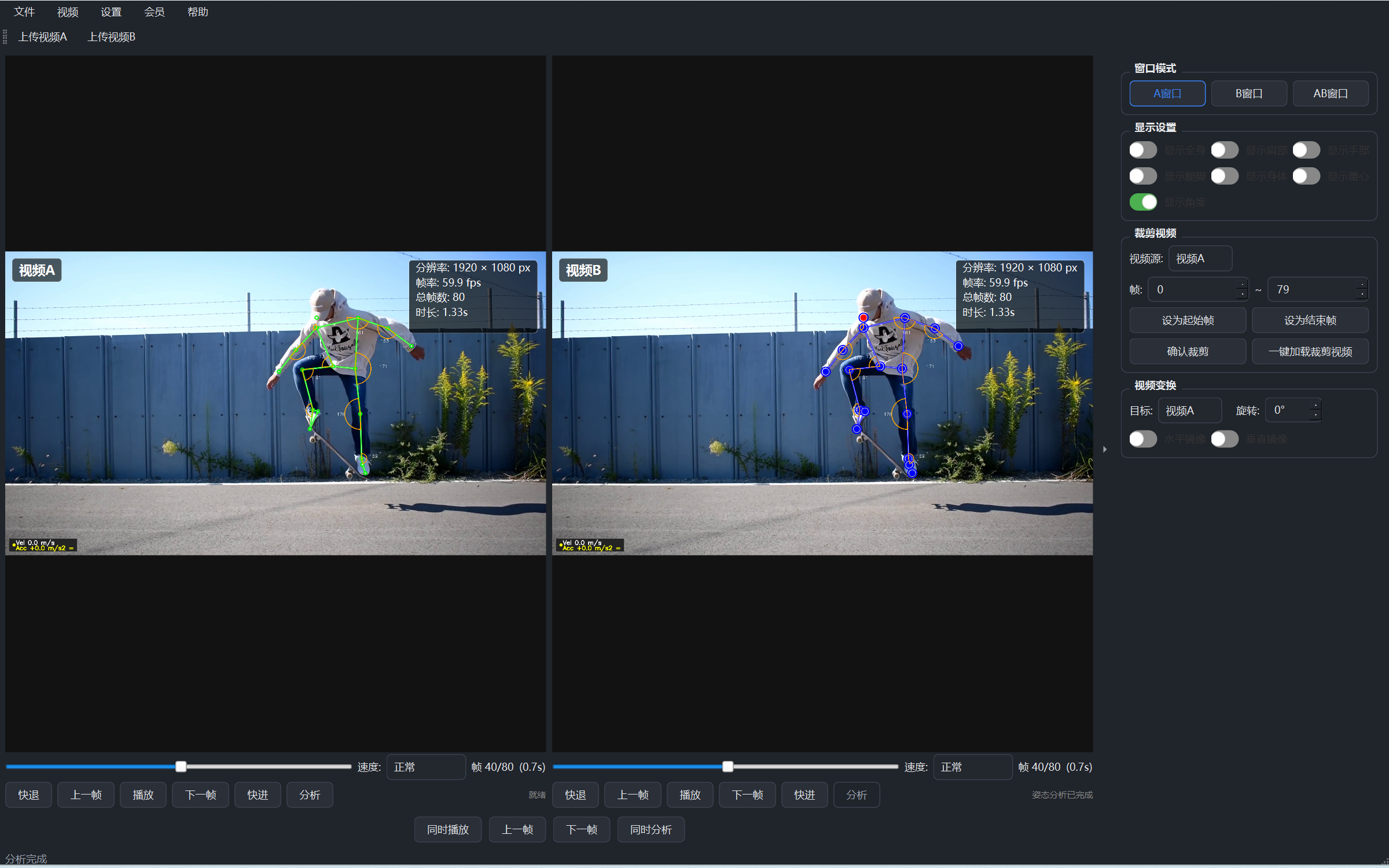
Tap one button and let AI read the pose - it draws the human skeleton right on the video. Whether the move is standard, where the power goes wrong - it's all clear at a glance. Pair two videos on one screen to make professional action teaching more intuitive and more effective.
Core Features
- AI action recognition: captures the whole-body skeleton; good or poor moves are clear at a glance
- Skeleton overlay: multiple styles show the pose clearly
- Motion trajectory: solid/dashed/gradient/glow styles record the movement path clearly
- Dual-video comparison: student vs standard demo side by side in sync
- Video player: plays many formats smoothly, with slow motion and frame-by-frame replay
- Image viewer: open images directly, freeze a single frame for analysis
- Joint angle display: shows joint angles live, so power and posture deviations stand out
- Center-of-gravity display: marks the body's center of gravity and its path, making stability clear at a glance
- Body silhouette rendering: a semi-transparent body outline (skin/muscle look) you can toggle anytime
- Starlight skeleton preset: one-click switch to a starlight skeleton style for a more expressive pose
- Trajectory waveform: plots the motion path as a waveform curve to inspect the rhythm frame by frame
- Video trim & picture adjust: cut key clips and rotate/mirror to straighten the frame, original file untouched
- Theme skins: switch freely among blue, dark, vivid orange and fresh green
- Membership unlock: activate membership for core features such as action recognition
Features · Illustrated Guide
Sign in, unlock action recognition instantly
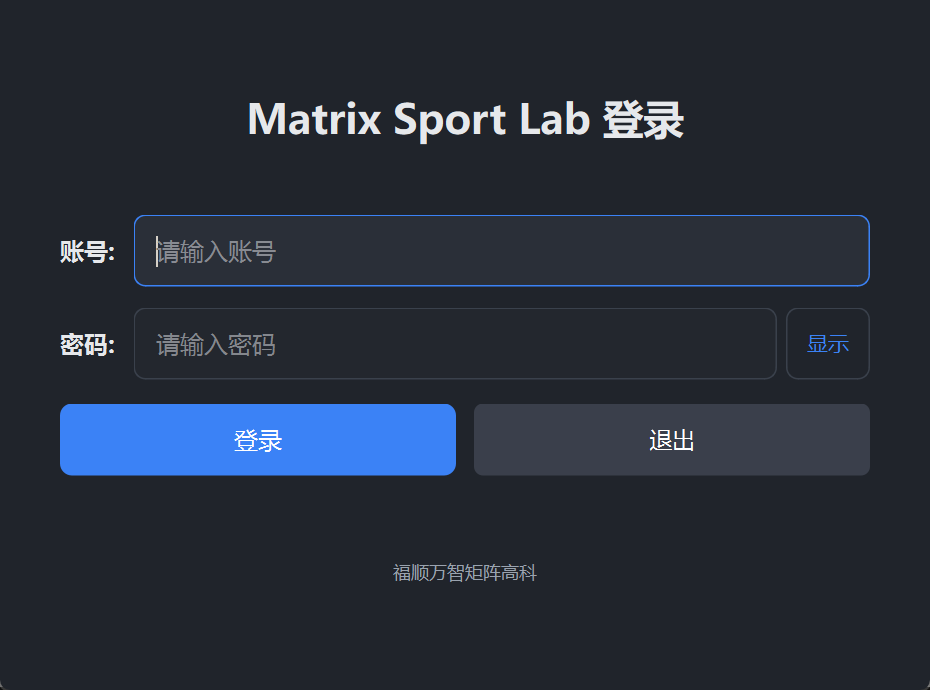
- Account login: sign in with your account after launch; no complex setup
- Membership unlock: action recognition and other core features with membership
① AI Action Recognition: draws the full-body skeleton in one click
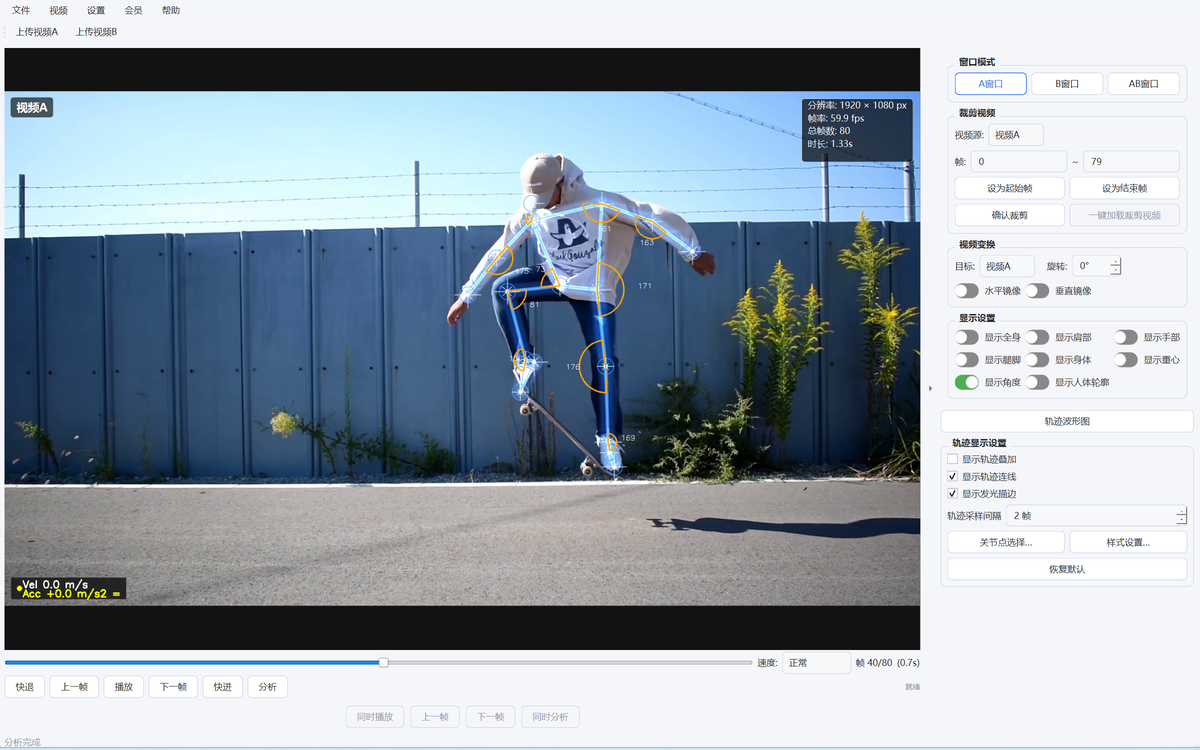
Open a video: click "Open Video" to load a recording (MP4 / AVI / MOV).
One-click recognition: click 'Action Recognition' and the AI draws the full-body skeleton frame by frame.
Video precheck: before recognition begins, the system checks video quality item by item (decodable, resolution, duration, brightness, sharpness and more).

② Skeleton Overlay: multiple styles show the pose clearly
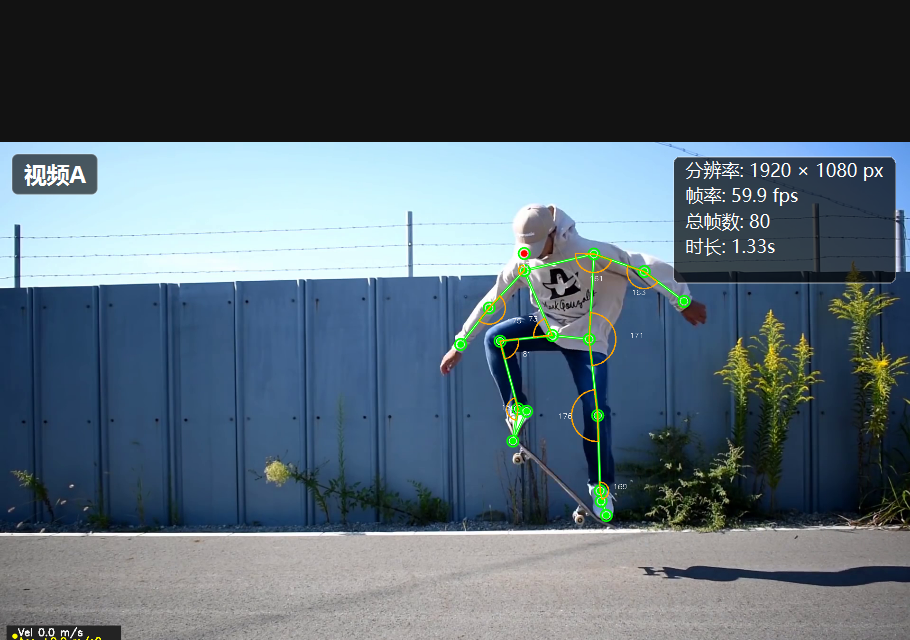
- Joints: key joints across the body marked with dots
- Bone lines: joints connected following human anatomy, making the pose obvious
- Adjustable style: freely set the color, size and thickness of joints and lines
③ Motion Trajectory: records the movement path
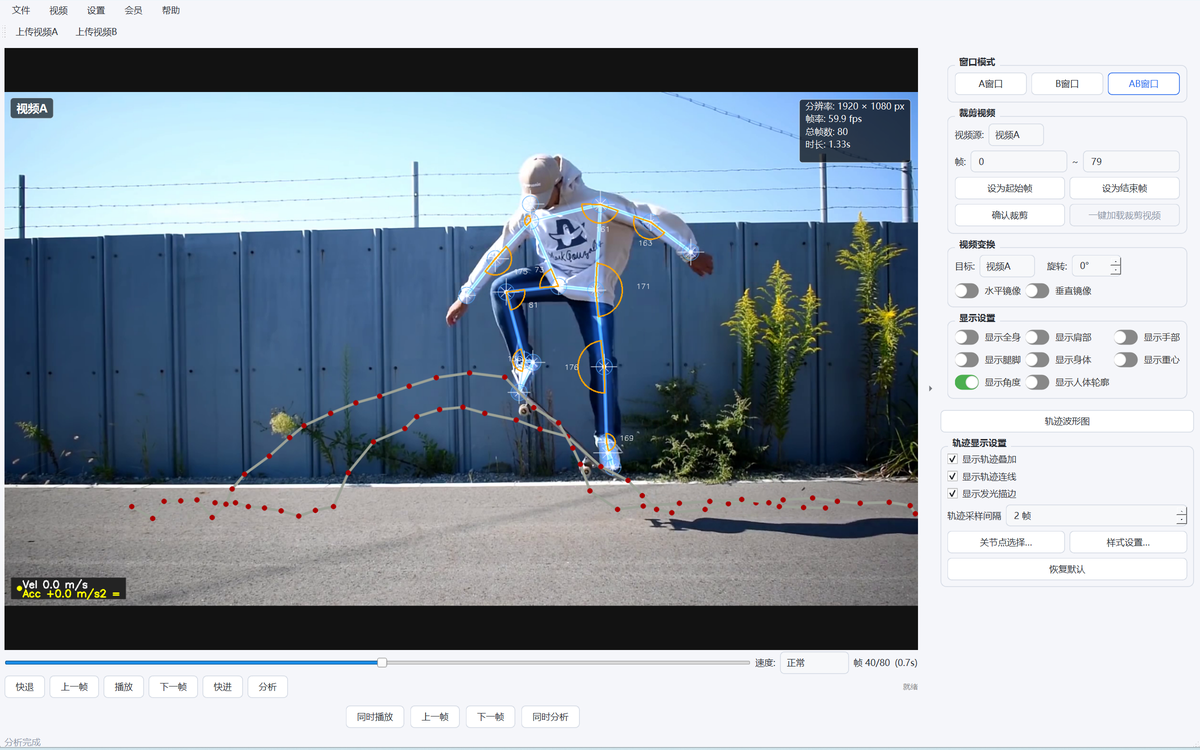
- Four styles: solid / dashed / gradient / glow, switch at will
- Path trails: the joints' movement path is visualized, making the trajectory clear
- Show as needed: toggle the trajectory for specific joints individually
④ Dual-Video Comparison: student vs standard demo
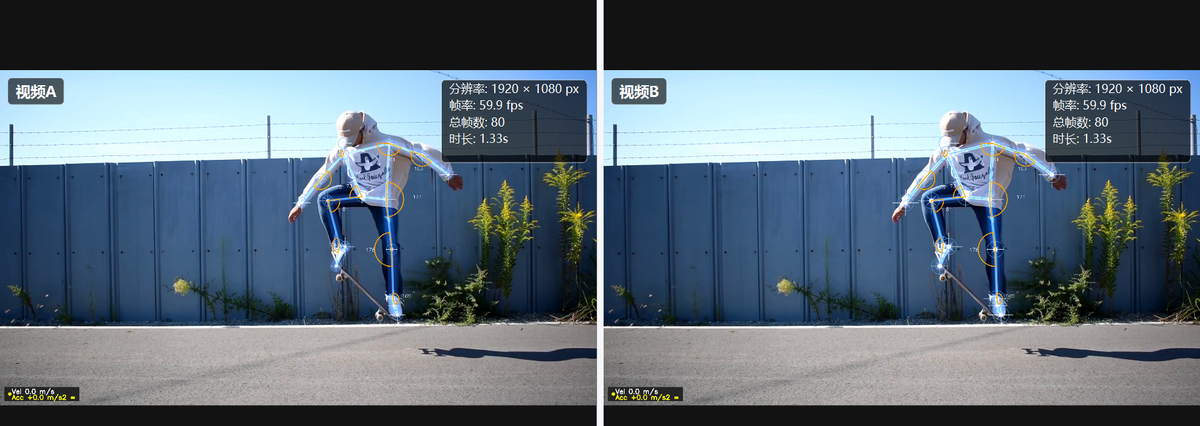
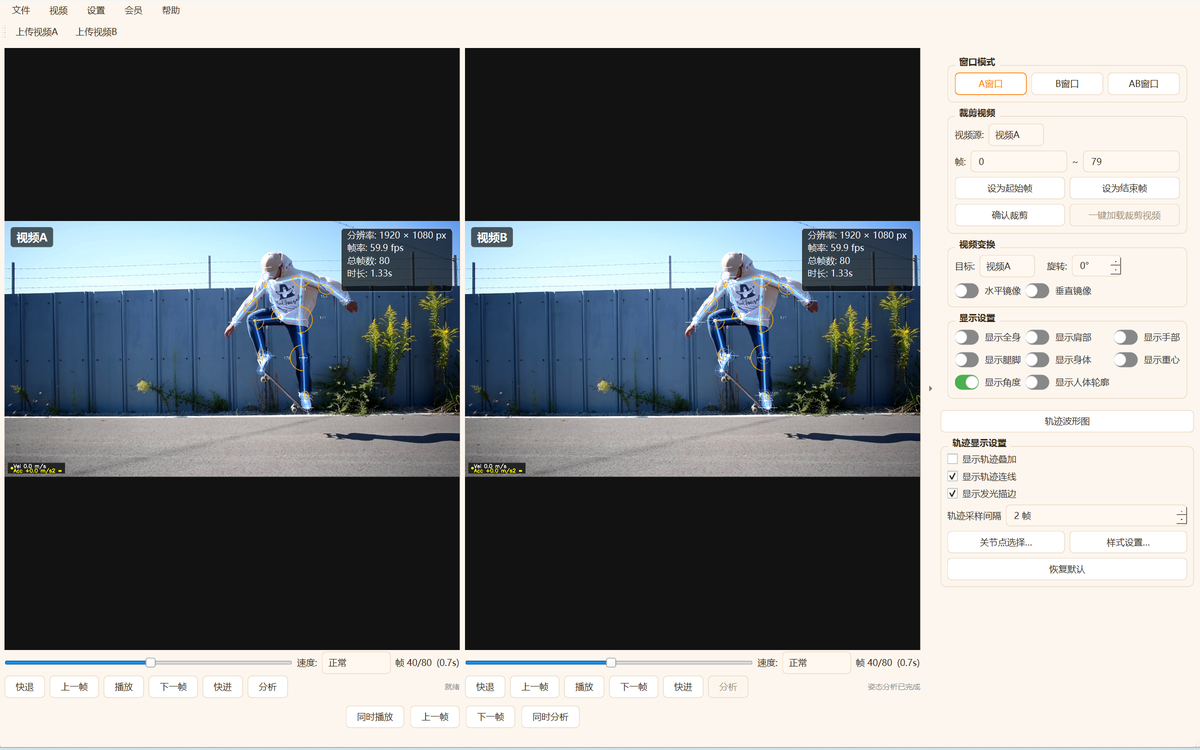
Enter dual video: click 'AB Window' to split the main window into two panes.
Synchronized playback: both clips play in sync, with slow motion and frame-by-frame replay.
Synchronized compare: both skeletons are shown together so differences are visible frame by frame.
⑤ Video Player: smooth multi-format playback
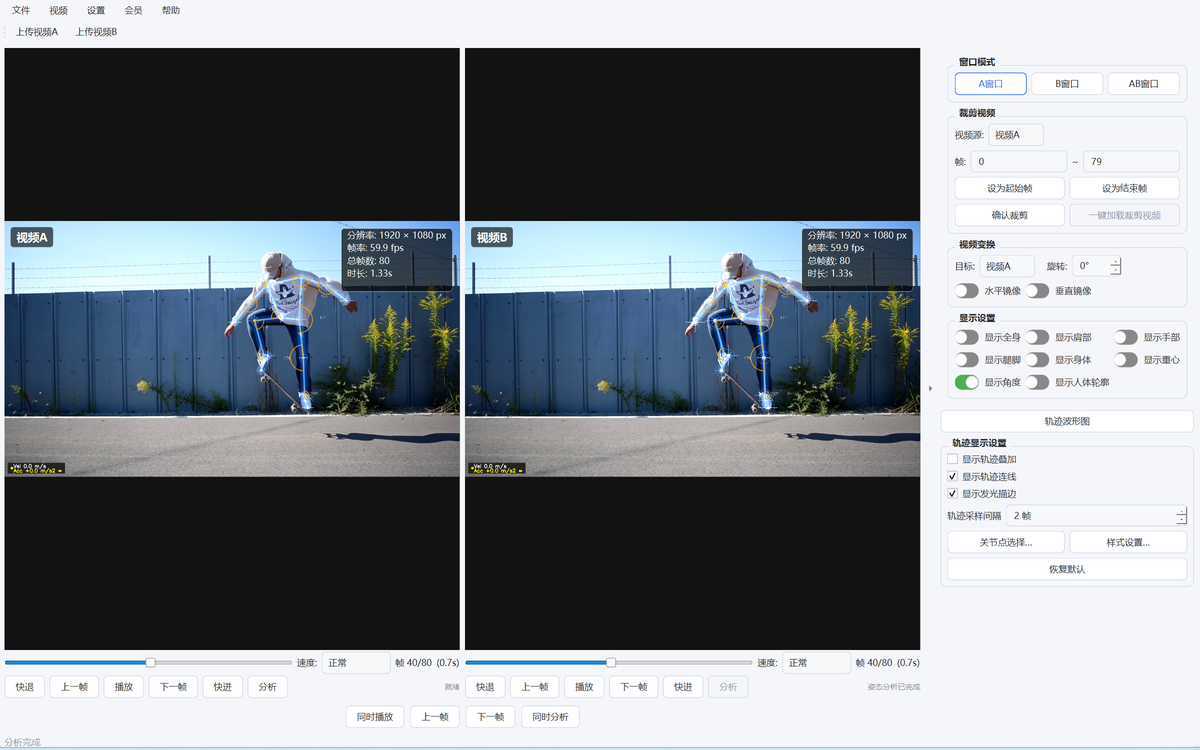
- Many formats: MP4 / AVI / MOV and more open and play directly
- Speed control: slow motion and frame-by-frame replay to see key moves clearly
- Position control: drag the progress bar or jump to a frame to find the key instant fast
⑥ Image Viewer: freeze a single frame for a clear look
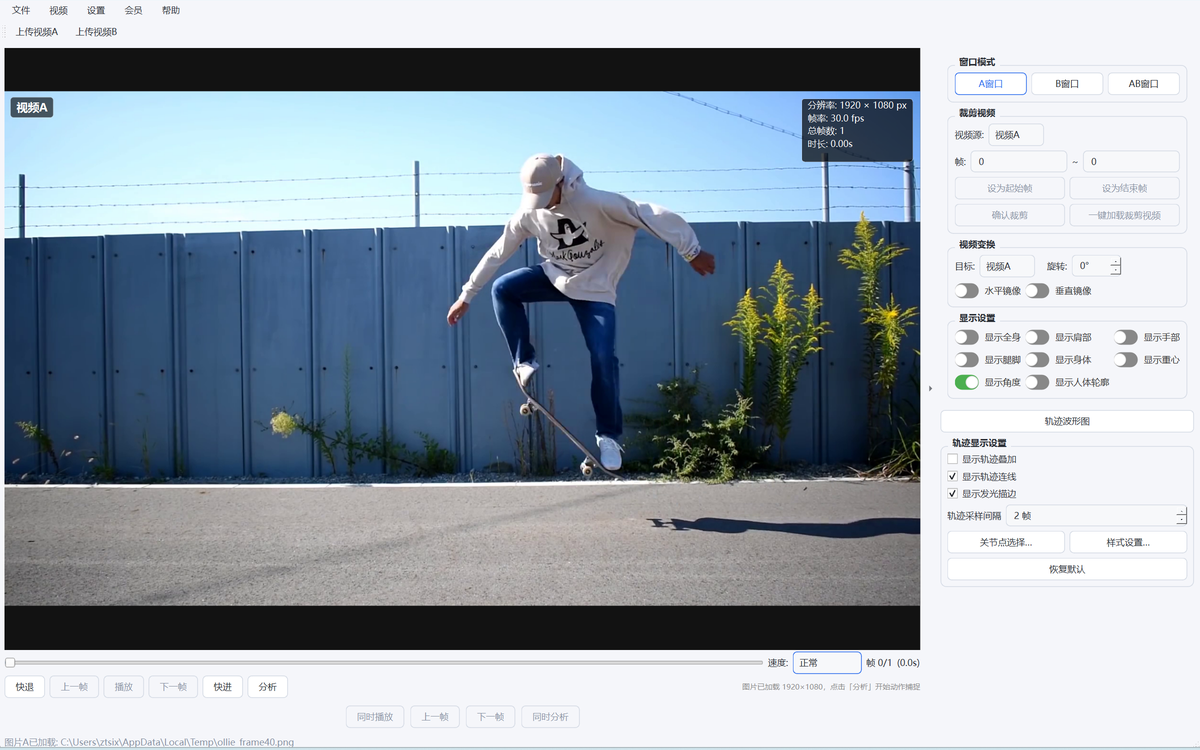
- Direct viewing: import and view JPG / PNG / BMP images directly
- Frame freeze: bring in a key-move screenshot and analyze it with the skeleton
- Zoom in: magnify the details and miss no power point
⑦ Joint Angle Display: power and posture deviations at a glance
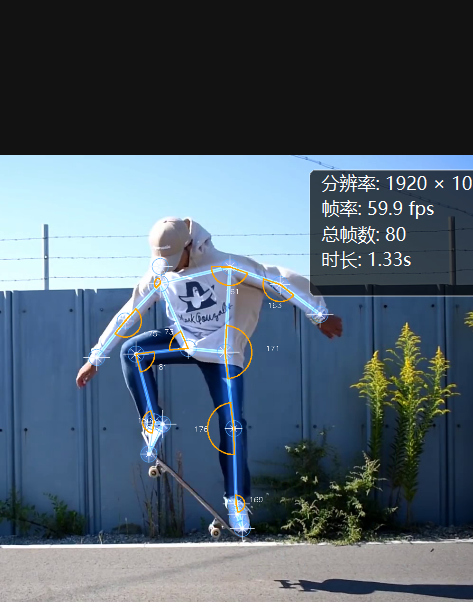
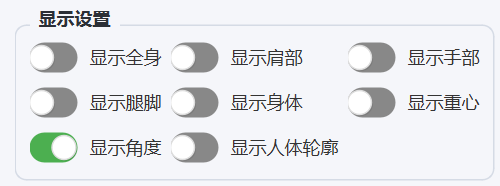
- Live angles: draw angle arcs and values at the joints in real time
- Per-part switches: control shoulders, arms, legs and torso independently
- Works with the skeleton: shown together with the skeleton, without affecting other rendering
⑧ Center of Gravity: stability at a glance
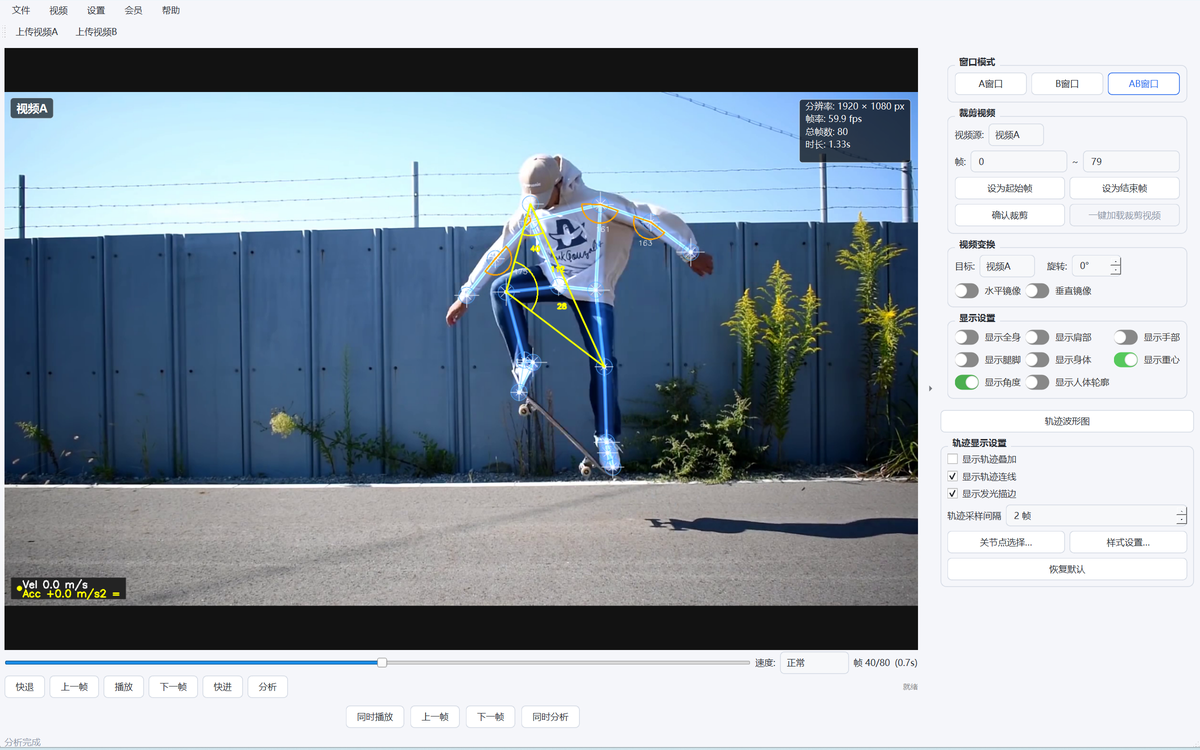
- COG marker: marks the body's center of gravity on the frame
- Moves with the action: the COG shifts in real time, intuitively showing balance
- Independent switch: can be enabled alone, no interference with skeleton/silhouette
⑨ Body Silhouette Rendering: semi-transparent skin/muscle look
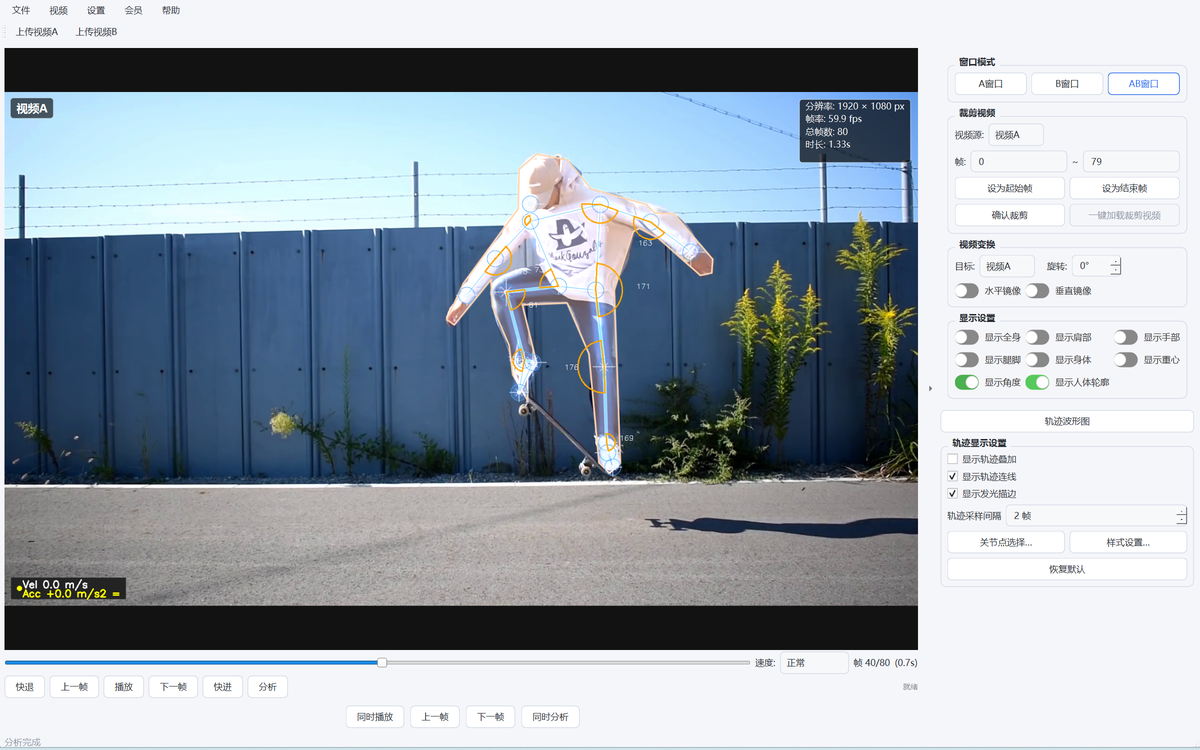
- Real contour: draws a semi-transparent body shape frame by frame along the real outline
- Film texture: supports edge blur and opacity adjustment
- Toggle anytime: overlays with the skeleton and starlight skeleton without interference
⑩ Starlight Skeleton Preset: a more expressive pose
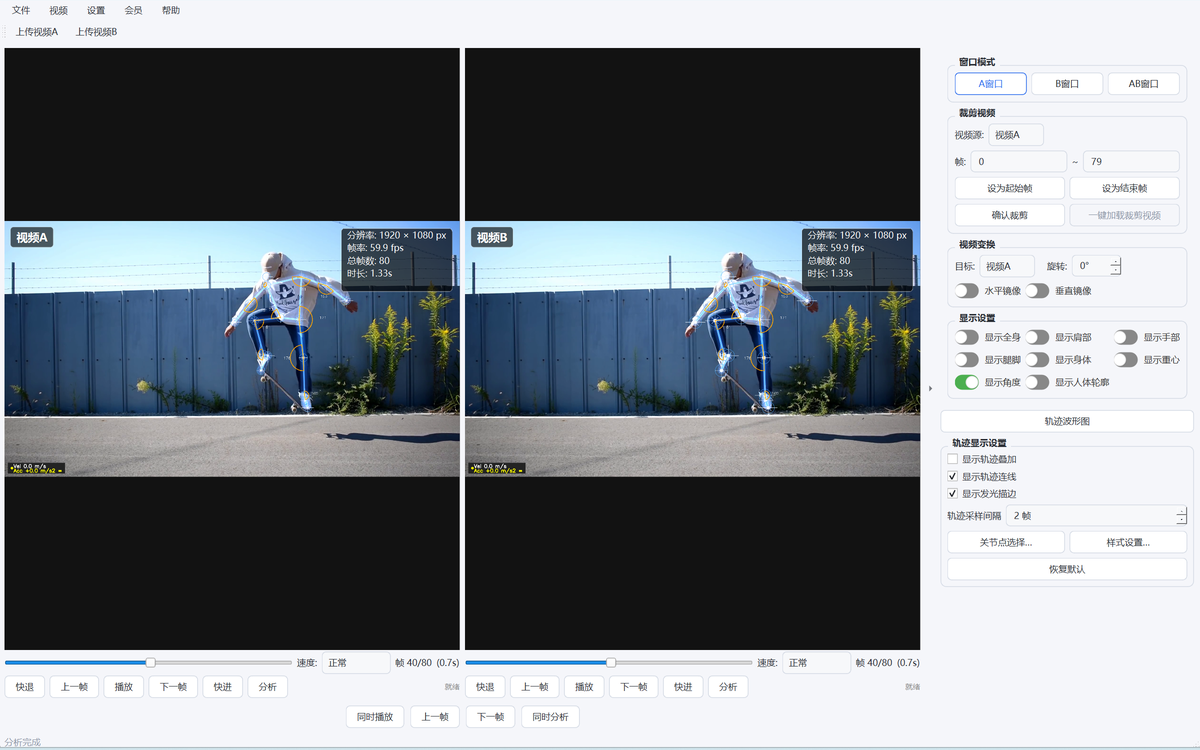
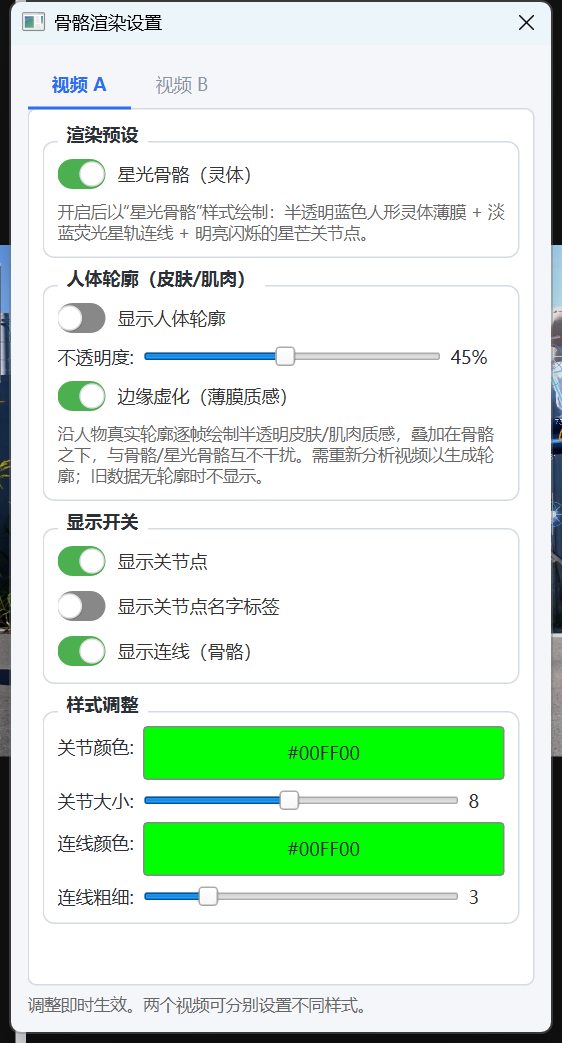
- One-click switch: enable the starlight skeleton in 'Render Settings → Render Presets'
- Starlight effect: spirit film + star-trail lines + star joints
- No interference: freely combine with the skeleton and body silhouette
⑪ Trajectory Waveform: plots the motion path as curves
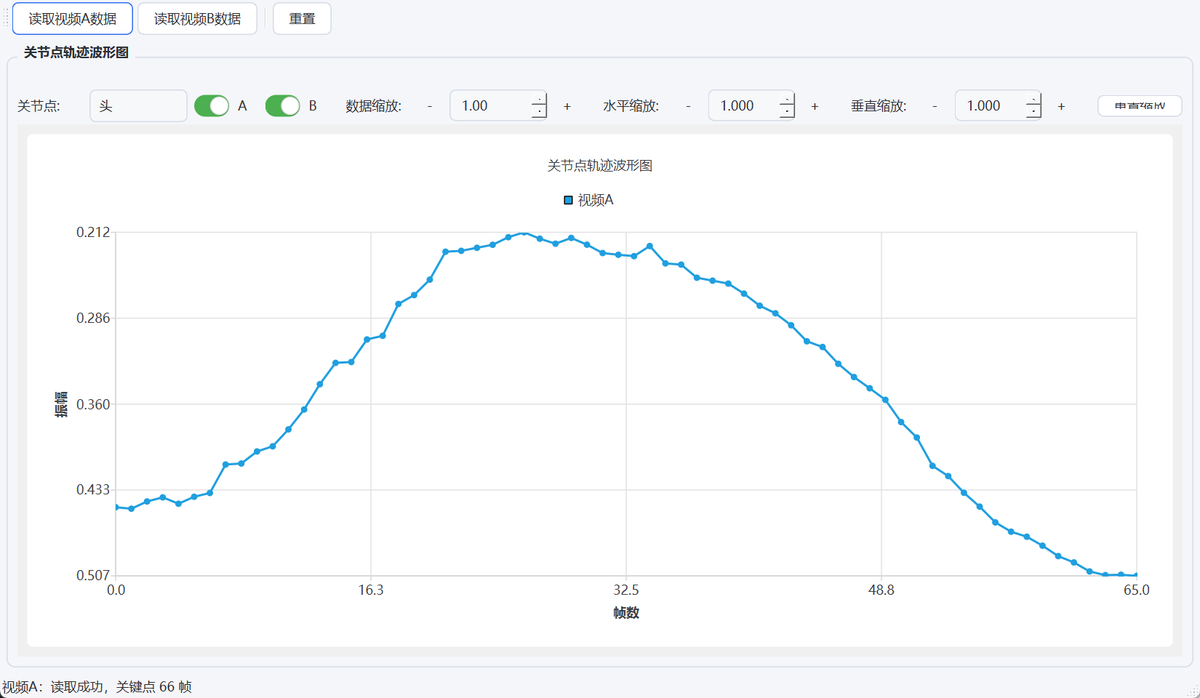
- Separate window: click 'Trajectory Waveform' to open the curve window
- Per-joint view: each joint's path shown as a waveform curve
- Zoom & overlay: supports zoom and overlaying multiple curves to inspect the rhythm
⑫ Video Trim & Picture Adjust: cut clips, straighten the frame
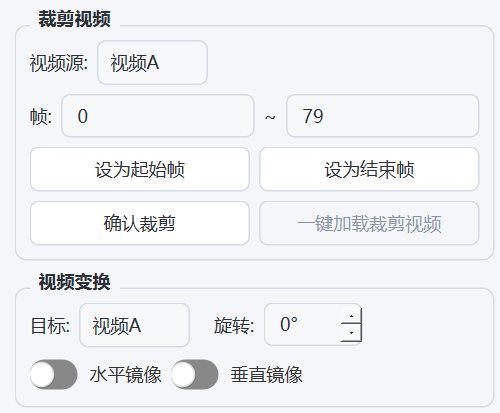
- Video trim: set start/end frames to cut a key clip and save it, original file untouched
- Rotation: rotate by any angle to straighten the shooting angle
- Horizontal/vertical mirror: flip with one click, switching the viewing side as needed
⑬ Theme Skins: four themes to switch freely
- Four skins: blue, dark, vivid orange, fresh green
- Instant effect: switch via the 'Settings → Skin' menu
- Auto-remembered: saved automatically and restored on next launch
⑭ Membership Unlock: unlocks all core features

- Flexible plans: monthly ¥9.9 / yearly ¥98 / lifetime ¥198
- Easy activation: buy online in the membership center or enter an activation code
- Per-device activation: unlocks action recognition and other core features on this device